Roobet
Designing a promotion survey widget for Roobet within a rigid design system
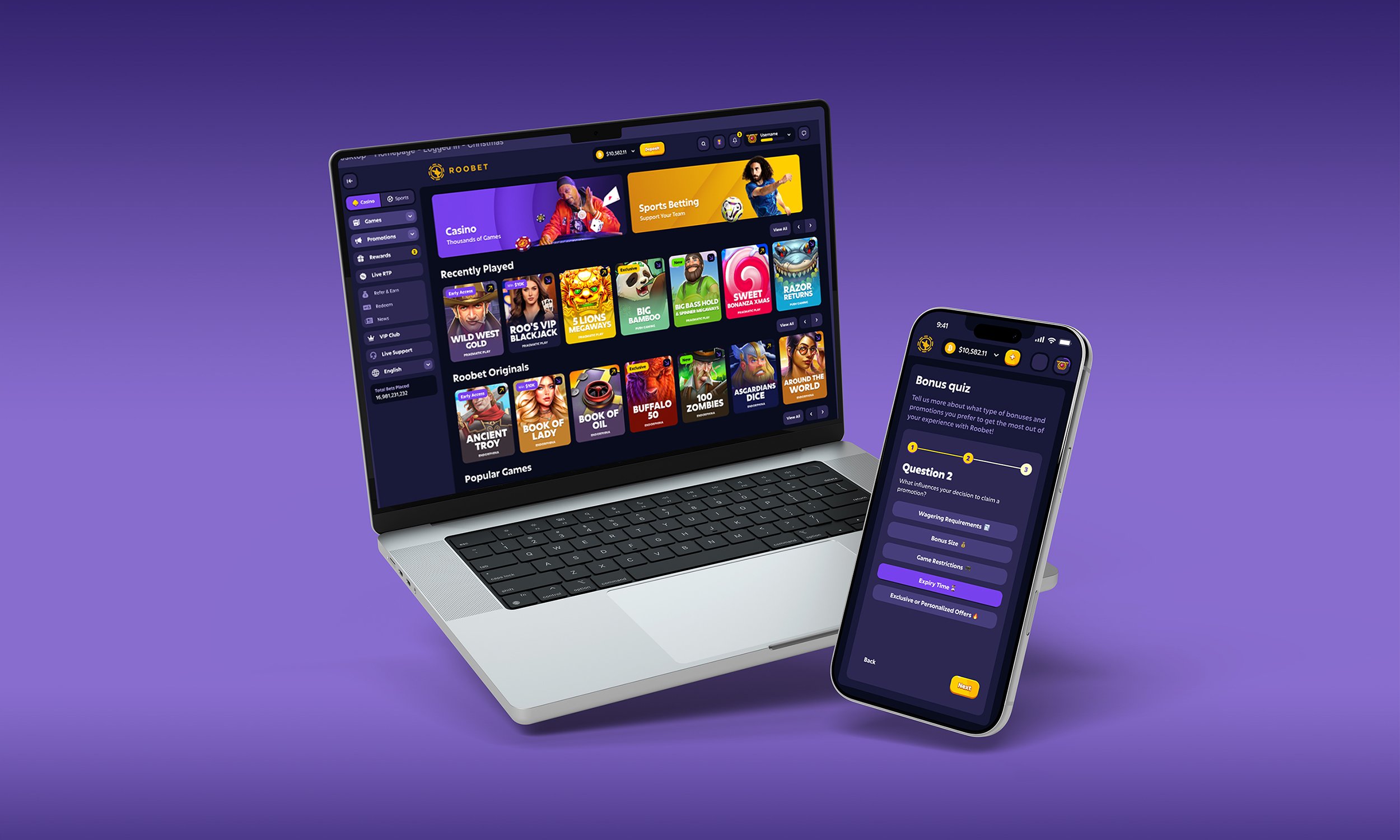
A freelance UI test and design challenge — creating a new "Bonus Quiz" survey widget for Roobet's promotions detail page, built entirely from existing design system atoms and molecules, across three breakpoints.
A UI test that was also a real product problem.
Roobet is one of the world's fastest-growing online crypto casinos — operating at significant scale with a mature, award-winning design system. The brief was a structured UI test: design a new survey widget to be embedded within the promotions detail page, allowing the promotions team to collect user preference data via short, multiple-choice questionnaires.
The challenge was twofold: interpret user stories from two distinct personas to define design requirements, then execute within the strict constraints of Roobet's existing component library — determining where existing components could be reused and where new ones needed to be built from scratch.
"Design and present an additional element that can be added to any promotion and displayed on its promotion detail page — a new survey widget allowing the promotions team to gather information from users via short, multiple-choice questionnaires."
A rigid system with a strict token hierarchy. No deviating.
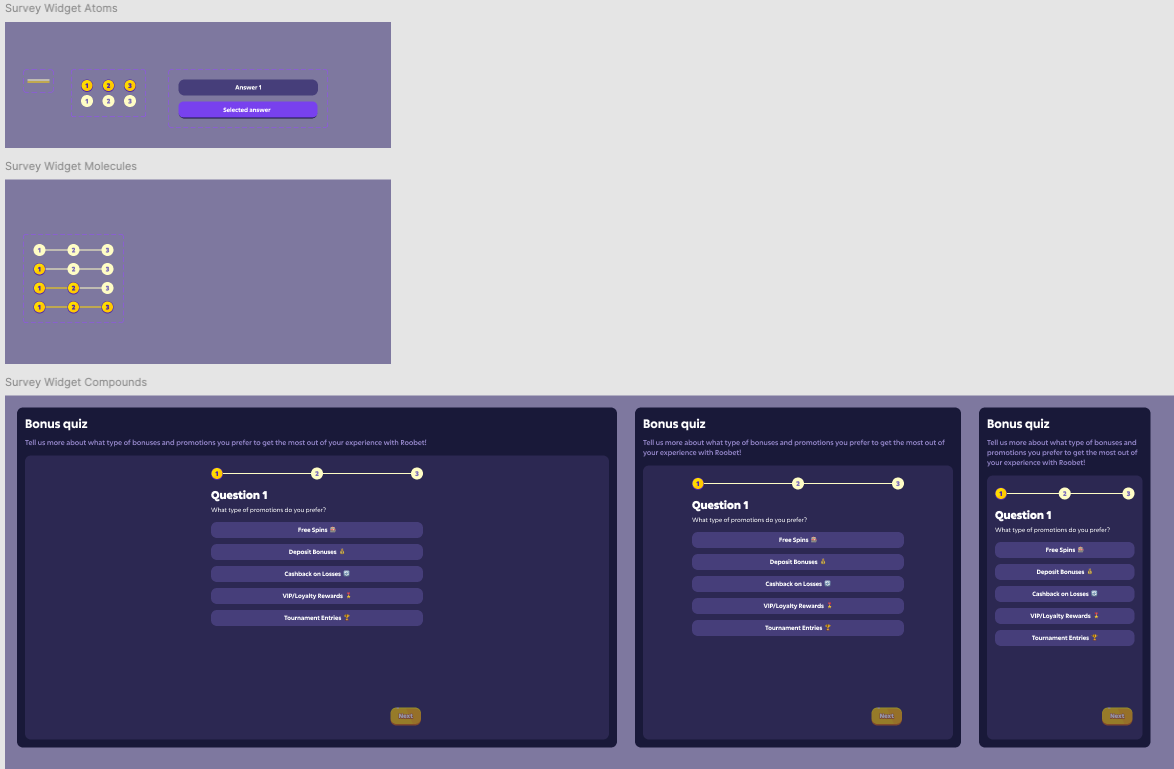
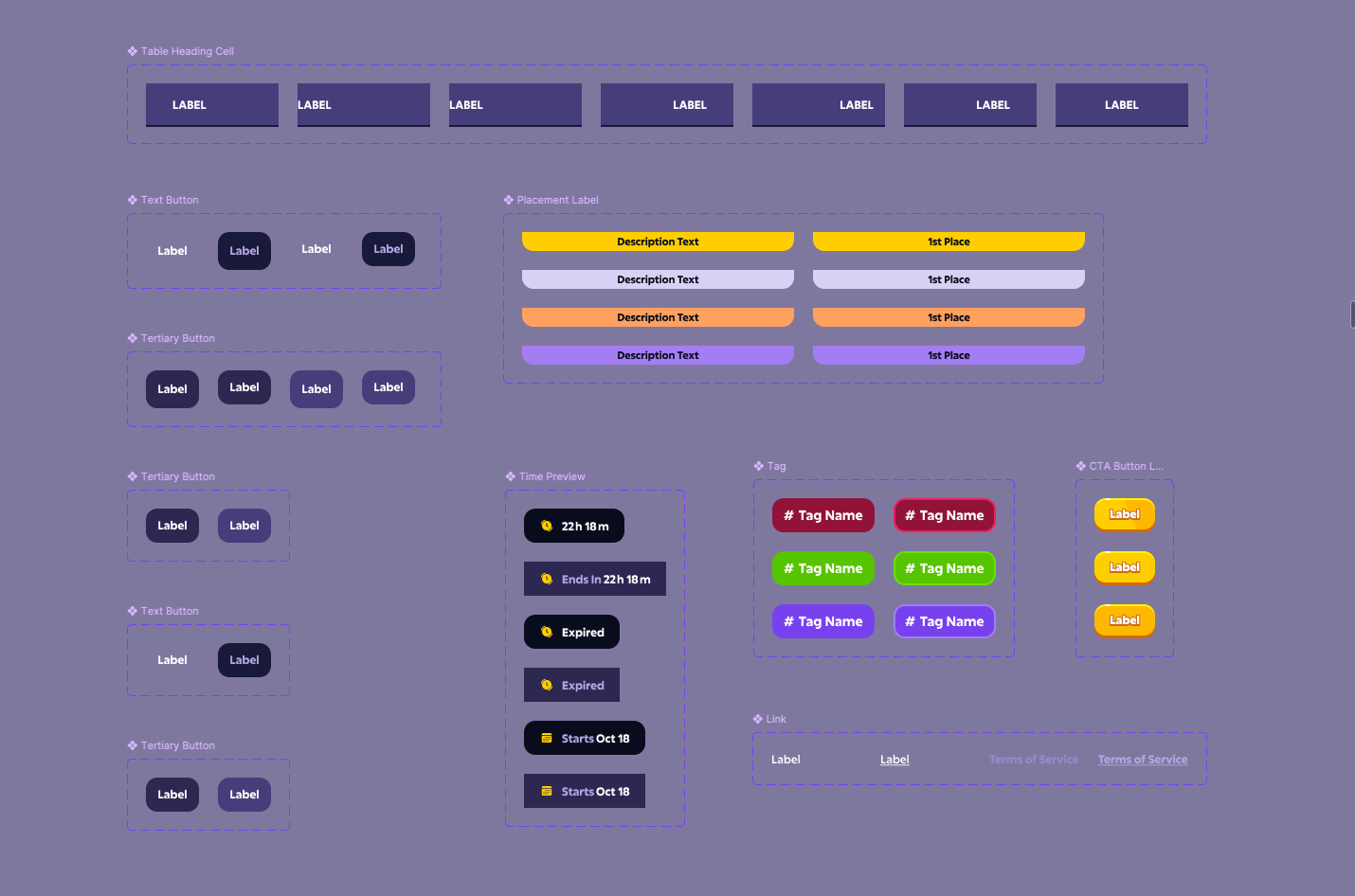
Roobet's design system was well-established and deliberately restrictive — built around a purposeful colour palette, a named token structure, and a compound component architecture using atomic design principles. Understanding it thoroughly before touching anything was a prerequisite, not a formality.
The system used atoms (individual UI elements), molecules (combinations of atoms), and compounds (complete functional modules ready to place in a page). The survey widget would need to slot in as a new compound — built from existing atoms and molecules wherever possible, with new components only created where the existing library genuinely couldn't cover the requirement.
Two personas. Very different needs from the same widget.
The brief provided two distinct sets of user stories — one from the Promotions Team Member configuring the survey, one from the end user taking it. Interpreting both accurately was essential: getting the admin requirements wrong would break the product; getting the user experience wrong would kill completion rates.
A key tension surfaced immediately: the promotions team wanted the entire survey visible on screen without scrolling across all devices, while the end user needed to see all 5 answer options clearly. On mobile particularly, this required careful vertical density management — the widget had to feel spacious enough to use comfortably without requiring the user to scroll to find the submit button.
Reuse wherever possible. Build new only where necessary.
Before designing any screens, I audited the existing component library to determine what was reusable. The answer button component existed in two states (default and selected) — directly applicable to survey answers. The gold progress indicator atoms existed and could be combined into a step-tracker molecule. The email input field, CTA button, and container card were all pre-existing.
Five states. Three breakpoints. One coherent experience.
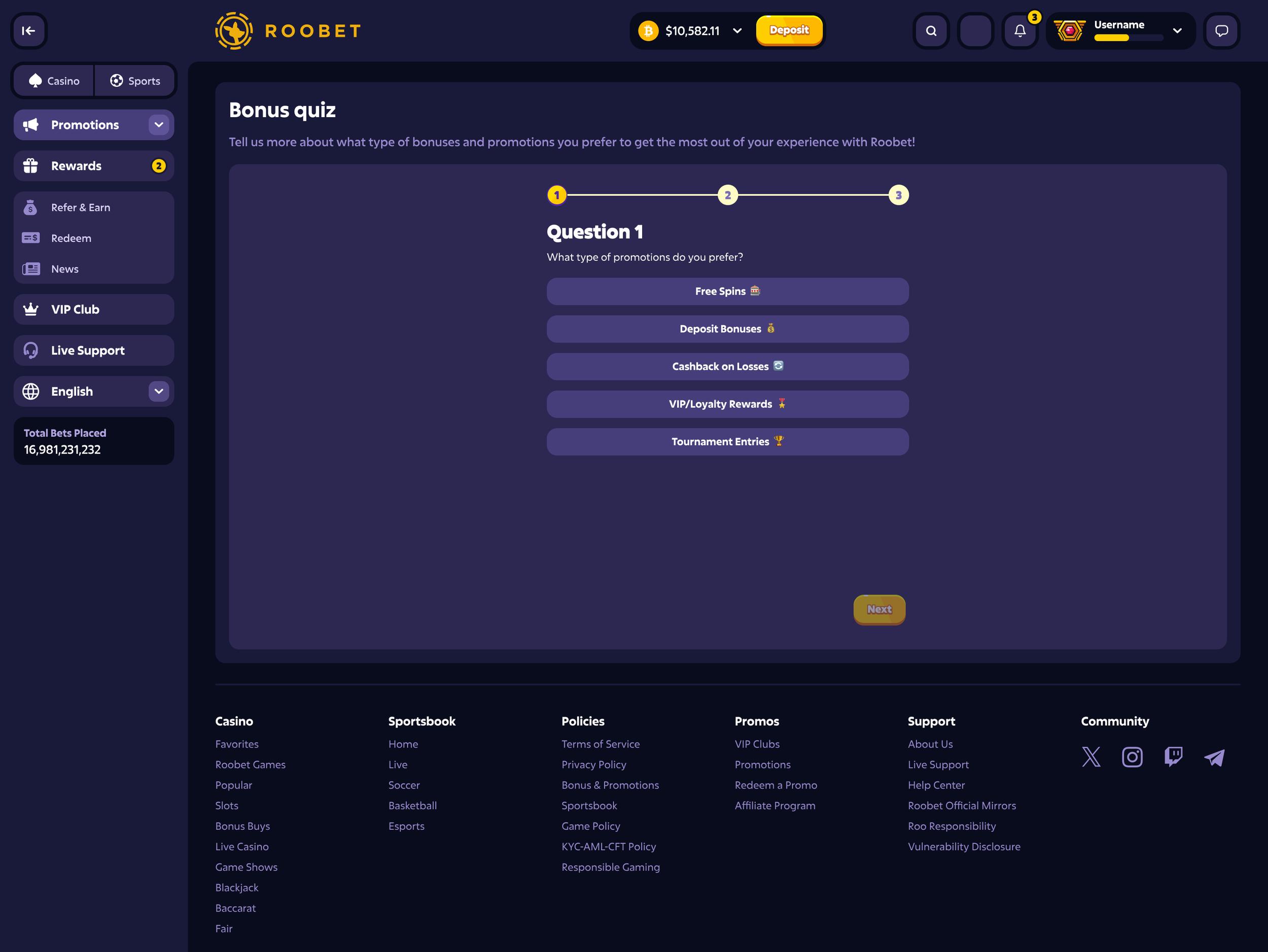
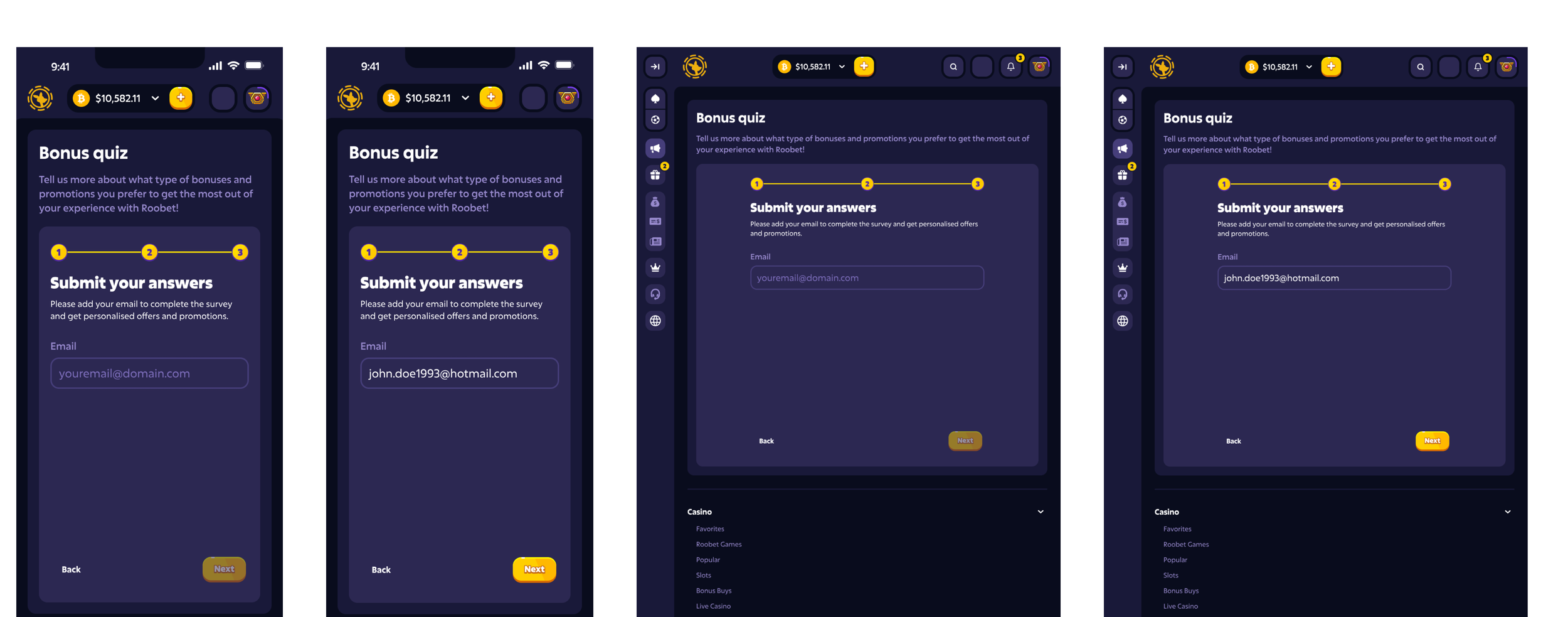
The final "Bonus Quiz" widget was designed across all required states — Q1 default, Q1 with a selection made, Q2 with a selection, email submission (empty and filled), and the success confirmation — at desktop (XXL), medium (tablet), and mobile breakpoints. Every state was fully responsive and interactive in prototype.
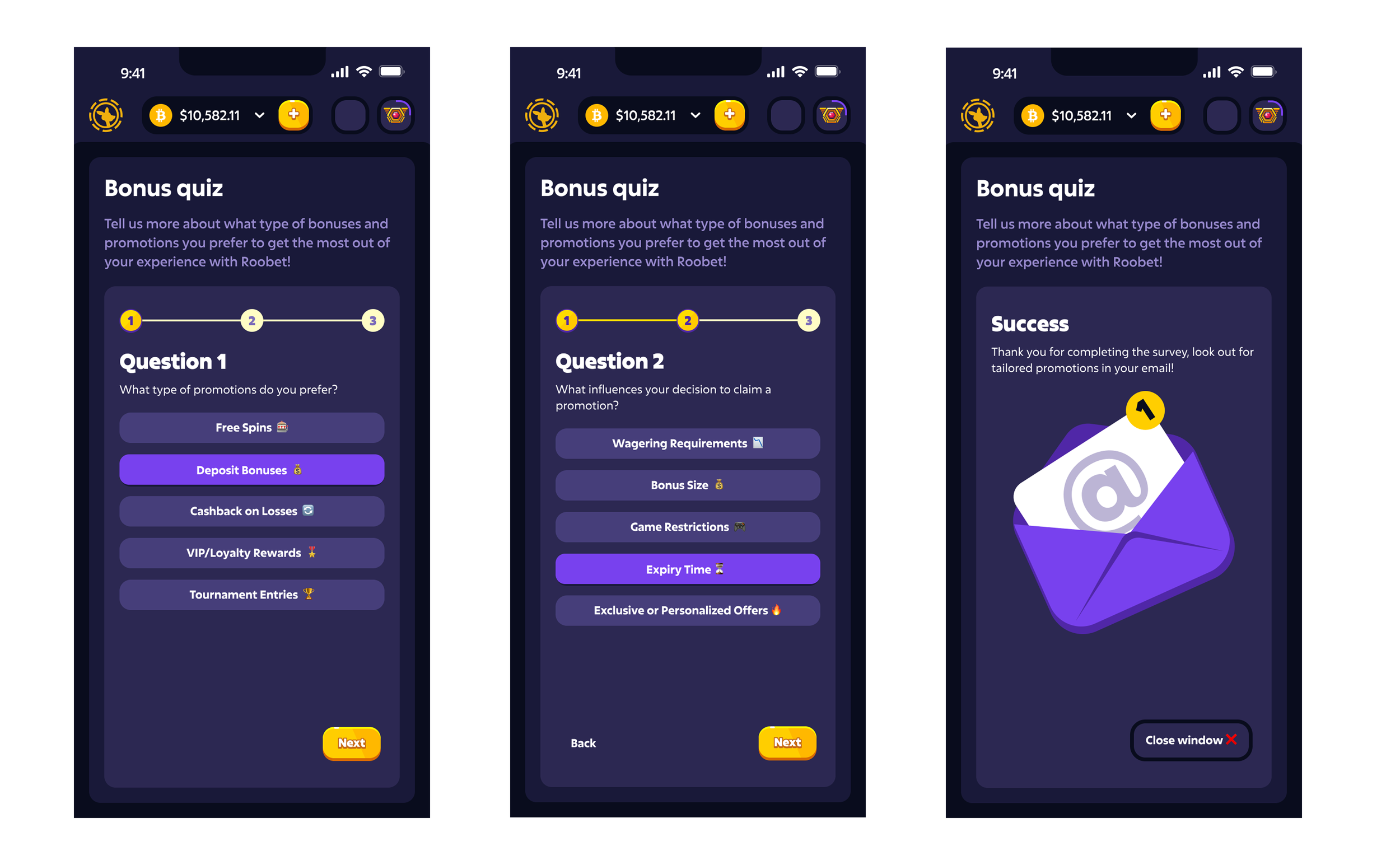
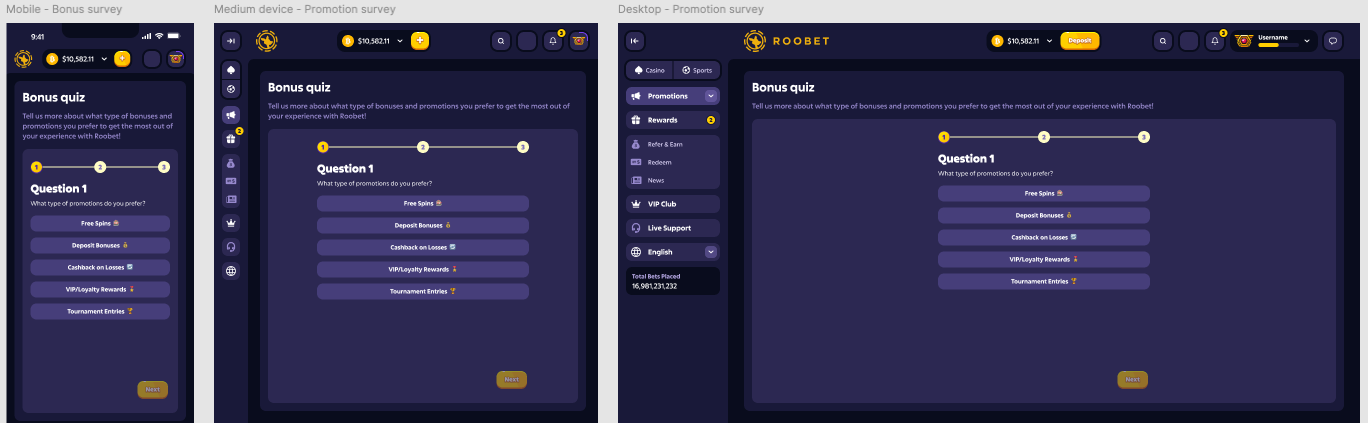
Every decision had to be defensible against the system.
In a mature, constrained design system, the interesting decisions aren't about visual style — they're about construction logic, component boundaries, and where to bend without breaking. These were the calls that shaped the quality of the output.
| Decision | Rationale | Alternative considered |
|---|---|---|
| Progress track built as a new molecule from existing atoms | The step nodes existed but no connected track component did. Building a new molecule from existing atoms followed the system's own construction logic — rather than creating an entirely new atom that would have been harder to justify and maintain. | Custom progress bar component from scratch — faster to design but breaks the atomic hierarchy and creates technical debt in the system. |
| Next CTA disabled until a selection is made | The user story required users to make a selection before proceeding. Disabling the CTA (using the existing disabled token state) makes this constraint visible without requiring an error message — reducing friction at the highest-drop moment. | Allow Next with no selection and show an error — adds an unnecessary failure state to a flow that should be frictionless. |
| Back button appears only from Q2 onwards | On Q1 there is nothing to go back to. Showing it from Q2 onwards keeps the UI uncluttered on first encounter while fully satisfying the user story requirement to navigate backwards. | Show Back button greyed out on Q1 — adds visual noise and implies there's something behind Q1 when there isn't. |
| Email step positioned as Step 3 in the progress track | Treating email entry as the third step (not a separate post-survey action) sets expectations accurately — users can see the whole journey length from question 1, reducing anxiety about how many steps remain. | Email step outside the progress track — technically simpler, but makes the survey feel longer than it is and breaks the user's mental model of progress. |
| Success state uses the existing illustration component | The Roobet system included illustration assets (the envelope with notification badge). Using the existing illustration for the success state maintained visual brand consistency and avoided creating new image assets that would sit outside the system. | Custom success copy only, no illustration — weaker emotional close to the survey interaction, and misses an opportunity to reinforce Roobet's brand character. |
System-compliant. Measurably effective.
The widget passed Roobet's design team review and was shipped. Because it was built rigorously within the existing design system — rather than as a one-off bespoke design — it delivered benefits beyond the widget itself.
By building the survey as a proper compound within the design system, the promotions team gained a configurable tool they could apply to any promotion without engineering involvement for each instance — improving consistency across all promotional flows and significantly reducing the overhead of one-off UI requests.